

LED QSR Menu Board With Adjustable Paper | Hanging Illuminated Food Menu Display
LED QSR Menu Board With Adjustable Paper | Hanging Illuminated Food Menu Display
We will contact you by WhatsApp or call after you place order for design approval before production.
Couldn't load pickup availability
In a quick-service restaurant, customers should not have to stand at the counter trying to work out what is available. The menu needs to be visible, organized and quick to understand.
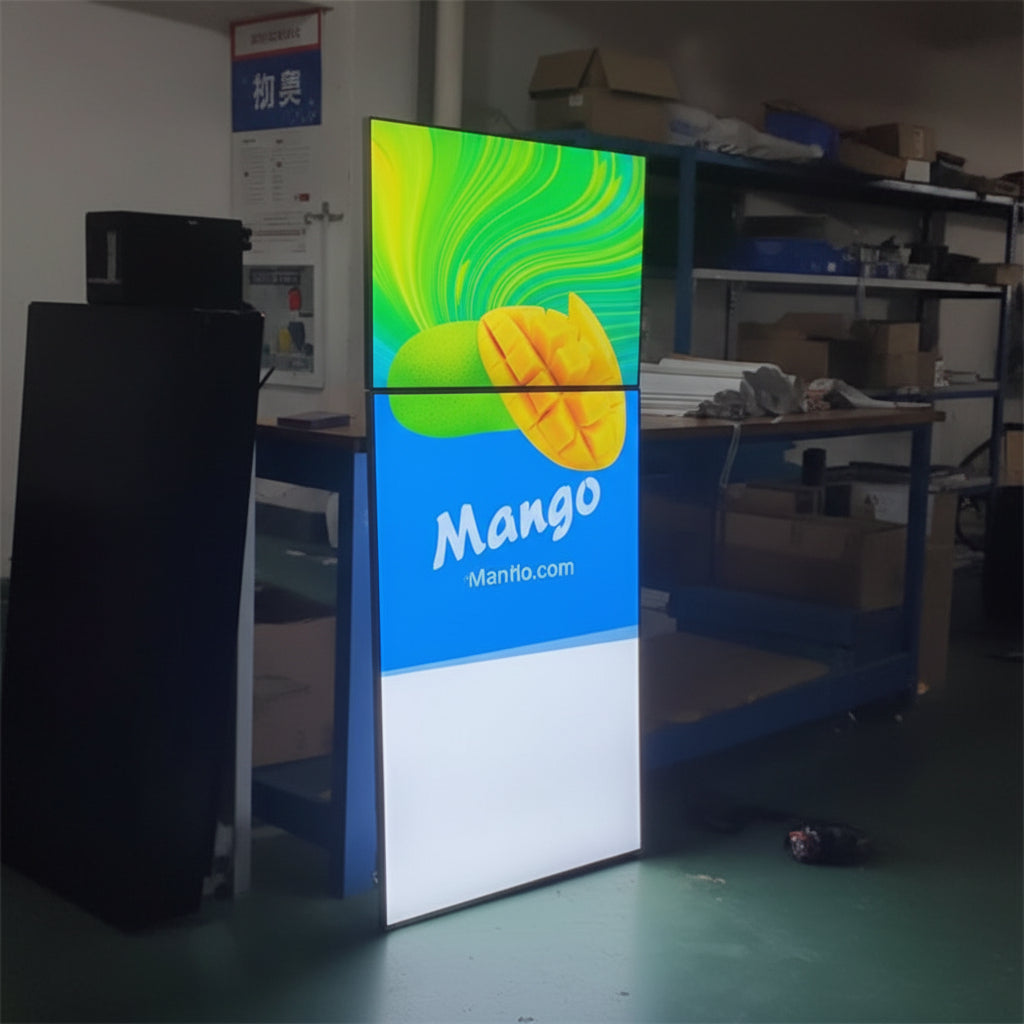
The LED QSR Menu Board With Adjustable Paper is designed around this requirement. The example shows a series of illuminated panels suspended above a beverage counter, with one panel carrying detailed menu information and the other panels being used for large drink photographs and promotional visuals.
This arrangement is particularly useful for a QSR, café, juice bar or fast-food outlet, where the menu may contain several categories and where new products, prices and offers can change regularly.
The combination of LED illumination, large printed graphics and a modular multi-panel layout creates a menu that works both as an ordering guide and as a visual advertising display.
Built Around the Way QSR Customers Order
Quick-service customers generally scan the menu rather than read every word.
They want to know:
What can I order?
What does it look like?
How much does it cost?
Is there a special offer?
A properly designed LED QSR menu board can answer these questions without overwhelming the customer with unnecessary information.
The menu can be divided into clear sections so that customers can find the products they are interested in quickly.
Multi-Panel Menu Layout
The image shows a particularly useful approach: instead of putting everything onto one oversized board, several panels work together.
For example:
Panel 1 — Main Menu & Prices
Panel 2 — Featured Beverages
Panel 3 — Fruit Drinks
Panel 4 — Speciality Drinks
This allows the detailed information to remain readable while the larger panels are used to attract attention through product photography.
Adjustable Paper for Changing Menus
QSR menus are rarely static.
A new beverage may be launched.
A combo may be discontinued.
Prices may be revised.
A seasonal product may be introduced.
A promotional offer may run for only a few weeks.
The adjustable paper menu format makes it possible to refresh the visible graphic when the content needs to change.
The physical illuminated display can continue to be used while the menu or promotional artwork is updated.
Ideal for Fast Food Businesses
QSRs often have several product categories that need to be communicated simultaneously.
A menu board can be used for:
- Burgers
- Sandwiches
- Wraps
- Pizza
- Fried chicken
- Fries
- Snacks
- Combos
- Desserts
- Beverages
The exact arrangement can be based on the actual menu and the space available above the counter.
Perfect for Beverage Menus
The example is particularly suited to beverage businesses.
Large images of colourful drinks immediately show customers what they can order.
This format can be used for:
- Fresh juices
- Smoothies
- Shakes
- Cold coffee
- Iced tea
- Mocktails
- Fruit beverages
- Specialty drinks
A large photograph can occupy one panel while the detailed prices and varieties remain on another.
Make Food Photography Work Harder
A menu should not be just a list of names and prices.
A well-chosen food photograph can create immediate visual interest.
For example, instead of simply writing Mango Smoothie, the menu can show a large image of the actual drink alongside the product name and price.
This is particularly useful for products that customers may be trying for the first time.
Keep Prices Easy to Find
Customers should not have to search through a busy graphic to find the price.
The main menu panel can organize products and prices into clear sections.
Where products have different sizes, the artwork can also show the applicable prices in a straightforward format.
The exact pricing layout can be customized according to the QSR's menu.
Create a Dedicated Promotions Panel
One of the panels can be reserved for the promotion that the business wants customers to notice most.
For example:
NEW DRINK
COMBO OFFER
BUY ONE GET ONE
SPECIAL PRICE
LIMITED TIME
The promotional graphic can be changed as the campaign changes.
Great for New Product Launches
A newly introduced item deserves more attention than a small line buried in the regular menu.
A dedicated LED panel can present:
NEW
Large product photograph
Product Name
Short description
₹XXX
This gives the new product a much stronger visual presence.
Use for Combo Meals
QSR customers often look for value-oriented combinations.
A dedicated panel can present a complete combo visually.
For example:
BURGER + FRIES + DRINK
Large product photograph
COMBO ₹XXX
This makes the offer easier to understand at a glance.
Suitable for Juice Bars
Juice bars can use the same LED menu system to separate their beverage categories.
For example:
FRESH JUICES
SMOOTHIES
SHAKES
FRUIT BLENDS
SPECIAL DRINKS
The individual panels can use different product photographs while maintaining the same overall design language.
Suitable for Cafés
Cafés can use the menu boards for both beverages and food.
Possible sections include:
HOT COFFEE
COLD COFFEE
TEA
SANDWICHES
PASTRIES
DESSERTS
COMBOS
This makes the menu easier to navigate without forcing every item into a single crowded panel.
Suitable for Food Courts
Food court outlets need to communicate their offering quickly because customers are often choosing between several nearby businesses.
A bright, well-organized QSR LED menu board above the counter can make the restaurant's main products and offers immediately visible.
The suspended format also makes good use of the area above the counter.
Ceiling-Hung Installation
The example shows the panels suspended from the ceiling.
This is particularly useful when the wall behind the counter is already occupied by:
- Shelving
- Equipment
- Branding
- Refrigeration
- Counter displays
- Digital screens
Using the overhead space keeps the menu visible without requiring another large wall installation.
Use Vertical or Wide Panels According to the Space
The menu system can be planned according to the available installation area.
A business may use:
- Individual portrait panels
- Wider landscape panels
- A continuous row of panels
- Multiple grouped sections
The final layout should be based on the menu content, ceiling height, customer viewing distance and available space.
Keep the Main Menu Information Organized
The detailed menu panel should not try to compete with every promotional photograph.
Its job is to make ordering information easy to understand.
Products can be grouped by category, with names and prices aligned consistently.
This creates a much better customer experience than placing every product randomly across the board.
Use Large Images on Separate Panels
The example demonstrates a smart visual approach.
The main menu contains the information.
The adjoining panels contain large product photographs.
This prevents the menu from becoming overloaded with text while still giving the products strong visual exposure.
Promote Seasonal Beverages
Seasonal drinks can be highlighted on one or more panels.
For example:
SUMMER SPECIALS
FRESH FRUIT DRINKS
SEASONAL COOLERS
Once the season is over, the artwork can be replaced with the next campaign.
Make the Menu Match the Brand
A QSR menu should look like part of the restaurant.
Your:
- Logo
- Brand colours
- Fonts
- Product photography
- Graphic style
- Pricing format
can all be incorporated into the artwork.
This helps create a consistent appearance across the menu, counter, packaging and other branding.
Use High-Resolution Product Photography
Large illuminated panels make image quality particularly important.
If a drink photograph occupies an entire panel, a low-resolution source image may appear soft or pixelated.
High-resolution product photography is therefore recommended for the best final result.
Design for the Actual Viewing Distance
A customer standing several metres away needs to recognize the major menu categories and promotional messages without difficulty.
The design should therefore prioritize:
- Large headings
- Clear product names
- Visible prices
- Strong promotional messages
- Easy-to-recognize photographs
Smaller descriptions can be used where they are genuinely useful.
Don't Turn the Menu Into a Wall of Text
A large menu board gives you more space, but that does not mean every space needs to contain information.
A good QSR menu is selective.
It gives customers the information they need to order while allowing the photographs and promotional messages enough breathing room.
Make the Most Important Products More Visible
If your business has a bestselling drink or signature food item, give it more visual importance.
One panel can be dedicated to:
OUR SIGNATURE DRINK
or
BESTSELLER
with a large photograph and a simple price.
This can help direct customer attention toward products the business wants to promote.
Use for Limited-Time Offers
A limited-time promotion can be displayed prominently without changing the entire menu.
For example:
THIS WEEK ONLY
NEW SEASONAL DRINK
SPECIAL COMBO
When the campaign finishes, the adjustable artwork can be replaced.
Useful for Frequent Price Updates
Restaurants operating in competitive markets may need to update prices from time to time.
A changeable graphic system is more practical in such situations than treating the menu artwork as permanently fixed.
The visible paper can be refreshed according to the updated menu.
Promote Cross-Selling
The menu can also introduce customers to products they may not have considered.
Someone ordering a burger may notice a drink combo.
Someone ordering coffee may notice a dessert.
Someone looking for a quick snack may see a new special.
Using separate promotional panels creates additional opportunities to introduce these products.
Suitable for Dessert and Bakery QSRs
The system can also be adapted for dessert-focused businesses.
Panels can showcase:
- Cakes
- Pastries
- Donuts
- Brownies
- Ice cream
- Shakes
- Specialty desserts
Large product images are especially effective for these categories.
Use for Restaurant Specials
A restaurant can use one panel for:
CHEF'S SPECIAL
TODAY'S SPECIAL
WEEKEND OFFER
or
SIGNATURE DISH
The artwork can be updated whenever the featured product changes.
Suitable for Takeaway Counters
The illuminated menu can be positioned above or near the ordering counter so customers can browse the products before placing their order.
This is particularly useful where the business has limited room for traditional printed menus.
Use for Brand Campaigns
The panels can also serve as promotional advertising surfaces.
Instead of showing a regular menu on every panel, one display can communicate:
- New product launch
- Seasonal campaign
- Brand message
- Promotional offer
- Special event
This gives the menu installation additional marketing value.
Create a Complete Menu System
For a larger QSR, the panels can work together as one complete menu wall.
For example:
Panel 1: Burgers & Main Items
Panel 2: Combos
Panel 3: Sides
Panel 4: Beverages
Panel 5: Desserts & Promotions
This approach keeps each section focused.
Bright LED Illumination
The LED lighting gives the menu graphics a bright and prominent appearance.
This can help the display stand out from the surrounding restaurant interior and make the product photographs more noticeable.
Actual brightness depends on the LED system, graphic material, display construction and surrounding lighting.
Select Brightness According to the Environment
A brightly lit shopping-mall food court and a softly lit café do not necessarily require the same lighting configuration.
The LED specification should be selected according to the installation environment, panel size and viewing conditions.
Custom Menu Artwork
Your actual menu can be used to create the artwork.
You can provide:
- Product names
- Prices
- Food photographs
- Beverage photographs
- Descriptions
- Logo
- Brand colours
- Promotional offers
- Category structure
The design can then be prepared according to the final panel dimensions.
Use Your Own Product Images
Using photographs of your actual food and beverages gives customers a more direct idea of what they are ordering.
For best results, use clear, high-resolution images that have been prepared for the final display size.
Change the Display as Your Business Changes
A QSR can use the same physical menu system for many different campaigns.
For example:
Launch: New Summer Drinks
Next: Family Combo
Next: Festive Specials
Next: New Desserts
The display remains useful because the visible content can change.
A Reusable QSR Advertising Solution
The concept is simple:
Keep the illuminated display. Change the message.
That makes an adjustable paper LED menu board useful not only as a menu but also as a reusable promotional platform.
Professional LED QSR Menu Boards by The Seven Colours
The Seven Colours can create custom LED QSR Menu Boards with adjustable paper for quick-service restaurants, cafés, juice bars, food courts, bakeries, dessert outlets and takeaway businesses.
Your menu can be designed around your actual products, prices, photographs, offers and brand identity.
Whether you need a few suspended panels above a counter or a complete multi-panel QSR menu installation, the display can be planned around the available space and the way customers actually view and use the menu.
The objective is simple: make ordering information easy to find, make your food look appealing and give your important products the visibility they deserve.
FAQs
Q1. What is an LED QSR Menu Board With Adjustable Paper?
It is an illuminated menu display designed for quick-service and food businesses, with changeable printed artwork that can be updated when menu information or promotions change.
Q2. Can the paper artwork be changed when prices change?
Yes. The adjustable format is intended to make it easier to update prices, products, seasonal items and promotional messages.
Q3. Can the QSR menu boards be suspended from the ceiling?
Yes. The example shows a ceiling-hung multi-panel configuration positioned above a beverage counter.
Q4. Can several LED menu panels be installed together?
Yes. Multiple panels can be arranged to create separate sections for food, beverages, combos, prices and promotional content.
Q5. Can I use my own food and beverage photographs?
Yes. Your own high-resolution product photographs can be incorporated into the menu artwork.
Product Features
Product Features
Materials and care
Materials and care
Merchandising tips
Merchandising tips